
As soon as you’re logged in you’ll notice along the top of the screen the WordPress Toolbar. This appears across the top of all the admin screens and remains in place for as long as you’re logged in to the website. Normal visitors to your website won’t see this. Notice your site’s name over the…
Logging in to WordPress

Open up your browser and head to your WordPress website. In the browser’s address bar add /wp-admin to the end of the url. Fill in your username and password. click the log In button. You should now be at the Dashboard screen in WordPress. If http://yourwebsite.co.uk/wp-admin doesn’t work try http://yourwebsite.co.uk/wp-login.php instead. If you’ve forgotten your…
Equal sized navigation menu with jQuery in WordPress
A couple of recent WordPress websites we built called for having the menu items equally spaced out across the whole width of the containing div. Working in percentages it’s pretty easy to work of course. Our containing div is 100%, so just a count of our menu items, in this case 5, 100/5 = 20,…
Easy Pull Quotes using CSS & JQuery
Everyone now understands the importance of having engaging, relevant content on their websites, and with more content the need to give more attention to typography becomes apparent. Pull-quotes are heavily used in traditional publishing but their use on the web is still pretty rare. Pull-quotes are key phrases, quotes or excerpts that are “pulled” from…
Dynamic Excerpt Lengths in WordPress
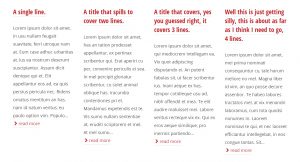
Excerpts are used in loads of places in WordPress themes, and adjusting the lengths of them is very easy using the functions already built into WordPress. However there’s one styling aspect that troubles me when using excerpts across multiple columns. The Problem. When the post titles used in your excerpts are all a common length…
How does Responsive Website Design work?

Responsive design aims to provide users with an optimal reading, navigation and experience regardless of the device being used to view it. This is accomplished using a mixture of fluid layouts and media queries. Fluid Layouts. Fluid layouts are designed using relative measurement units such as percentages or ems, rather than fixed units like pixels…
Guide to Styling Hyperlinks
Hyperlinks, or simply links, are what connect pages together to form websites, and ultimately websites together to form the web. Without them we simply wouldn’t be able to navigate from page to page, website to website. You most likely followed a link to this article; it’s one of those things you don’t even think about…
How to Create a Private Client Area in WordPress
It has been a couple of years since we originally wrote our plugin recipe for a secure client area in WordPress, which proved pretty popular, but we’d now recommend a different method to achieve a client area in your WordPress powered website. A recent WordPress project called for a secure area for each of the…
Getting Started with Google Analytics

Google’s Analytics offers a powerful set of statistical reporting tools to gather information about just about anything to do with your websites performance. With it you can find out where visitors are coming from, which pages they arrive at, how long they spend on those pages, and which pages they leave from. For the first…