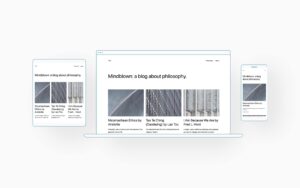
Back in the summer of 2022 I started experimenting with WordPress’s default Twenty Twenty Two theme. This was the first WordPress theme that made full use of the new Gutenberg editor and is a very lightweight theme with very little default styling, making it an ideal candidate for customising. I created a child theme that…
Lockdown, WordPress, Genesis and Gutenberg

So I found myself with some rare free time during the recent Coronavirus lockdown, so what have I been doing? My WordPress journey My first few WordPress sites were built using existing themes, with a bit of customisation. But it quickly became apparent that every theme author did things differently, so with each new theme…
Backing up your WordPress website

If you’re maintaining your own WordPress website it’s always wise to make a backup of your site before making any major changes to it. Most of the time you won’t need your backup, but on the rare occasion when something does go wrong whilst updating or changing something you’ll be glad you have it. There are…
Adding a new User in WordPress
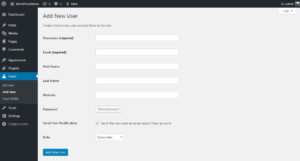
There are a couple of ways to get to the Add New User screen. In the top bar hover over the + New link, and in the dropdown click on User. Or in the left hand admin menu click on Users then Add New. Alternatively hover over Users and click Add New on the flyout…
Announcing Email Post Alerts

I’ve recently added a new feature to my blog to allow people to subscribe and receive email alerts. This means each time I publish a new post here you’ll receive an email containing a link to it. There’s no schedule, you might only get one notification in six months, at other times it might be…
Adding a custom taxonomy to WP Job Manager
What follows is how to add and use a custom taxonomy with the WP Job Manager plugin for WordPress. The documentation for the plugin provides some good hints and code examples for adding additional fields – but for a recent project I needed to use a custom taxonomy, so roll your sleeves up and let…
Page Templates in WordPress
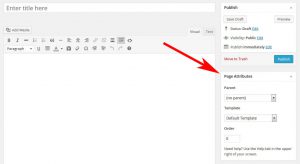
By default all Pages you create within WordPress will all use the same Default Template to control how the content is displayed. Your current Theme and active Plugins may add additional Page Templates you can choose from and assign to a Page; changing how the Page looks and even what the Page contains. Page Templates…
Understanding WordPress Widgets
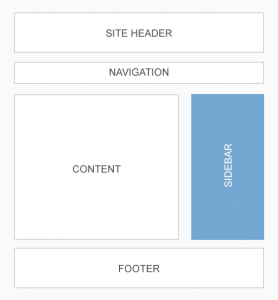
You can use WordPress Widgets to add extra content and features to certain areas of your site. Widgets can be used to display lists of Categories, highlight popular Posts, show social icons, related Posts… Widget Areas Widgets are used in what’re called Widget Areas. The number and location of Widget Areas is usually defined by…
WordPress support and maintenance site launched
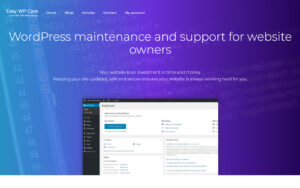
I’ve recently given the support and maintenance side of my business its own website available at Easy WP Care. I’ve moved existing customers accounts onto this new website, but nothing else has changed, it’s still the same service. I occasionally take on tasks from customers with websites that weren’t designed by myself, so I felt…