
If you’re maintaining your own WordPress website it’s always wise to make a backup of your site before making any major changes to it. Most of the time you won’t need your backup, but on the rare occasion when something does go wrong whilst updating or changing something you’ll be glad you have it. There are…
Adding a new User in WordPress
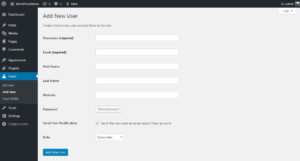
There are a couple of ways to get to the Add New User screen. In the top bar hover over the + New link, and in the dropdown click on User. Or in the left hand admin menu click on Users then Add New. Alternatively hover over Users and click Add New on the flyout…
Page Templates in WordPress
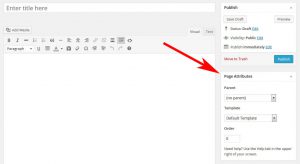
By default all Pages you create within WordPress will all use the same Default Template to control how the content is displayed. Your current Theme and active Plugins may add additional Page Templates you can choose from and assign to a Page; changing how the Page looks and even what the Page contains. Page Templates…
Understanding WordPress Widgets
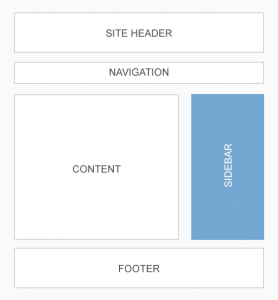
You can use WordPress Widgets to add extra content and features to certain areas of your site. Widgets can be used to display lists of Categories, highlight popular Posts, show social icons, related Posts… Widget Areas Widgets are used in what’re called Widget Areas. The number and location of Widget Areas is usually defined by…
Using a Page as your Homepage
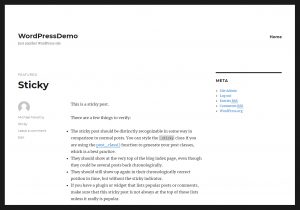
By default the homepage of a WordPress website will look like a blog; displaying your Posts in reverse chronological order (latest to oldest). WordPress lets you change this and use any Page as your homepage instead. We’re going to need two Pages created, one will be our new homepage, the other will be a page…
Adding a new Page in WordPress
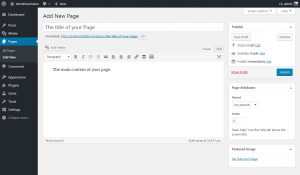
The are two ways to add a new Page to your WordPress website either; In the top bar hover over the + New link, and in the dropdown click on Page. Or in the left hand admin menu click on Pages then Add New. Alternatively hover over Pages and click Add New on the flyout…
Adding a Simple Product in WooCommerce
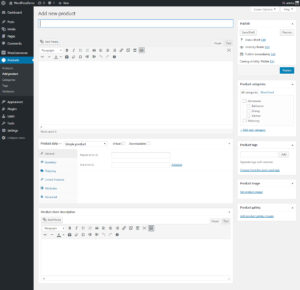
In the left hand admin menu click on Products then Add product. Alternatively hover over Products and click Add product on the flyout menu that appears. Under Add new product Fill in the product name and the product description under this. Text entered here is usually displayed under the main product image on the Description…
Adding Grouped Products in WooCommerce
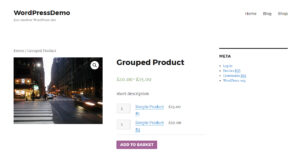
The WooCommerce Grouped Product type allows you to group together a selection of Simple Products. Think of it simply as a product page that displays a list of related products where users can add them all to their cart in one go. Customers still have the option to choose products from the list, and change…
Assigning Attributes to Products in WooCommerce
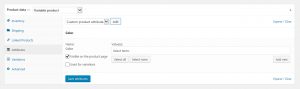
Assigning attributes to Products works the same regardless of the Product Type you’re working on; Simple, Grouped, External/Affiliate or Variable – the only difference is Variable Products will show an additional checkbox Used for Variations. There are two ways to assign attributes to your products in WooCommerce. The first way is to use attributes you’ve…