Article Contents
Google’s Analytics offers a powerful set of statistical reporting tools to gather information about just about anything to do with your websites performance. With it you can find out where visitors are coming from, which pages they arrive at, how long they spend on those pages, and which pages they leave from.
For the first time visitor Google Analytics looks a little baffling, so we’ll guide you to what we think are the most useful areas to get more of an understanding of how your website is engaging with its visitors.
Login to Google Analytics.
To access Google Analytics, just like all of Google’s tools and applications, you need a Google account. Visit http://www.google.com/analytics/ and either sign in with your existing Google account details, or simply create an account and lets get started.
Make a profile.
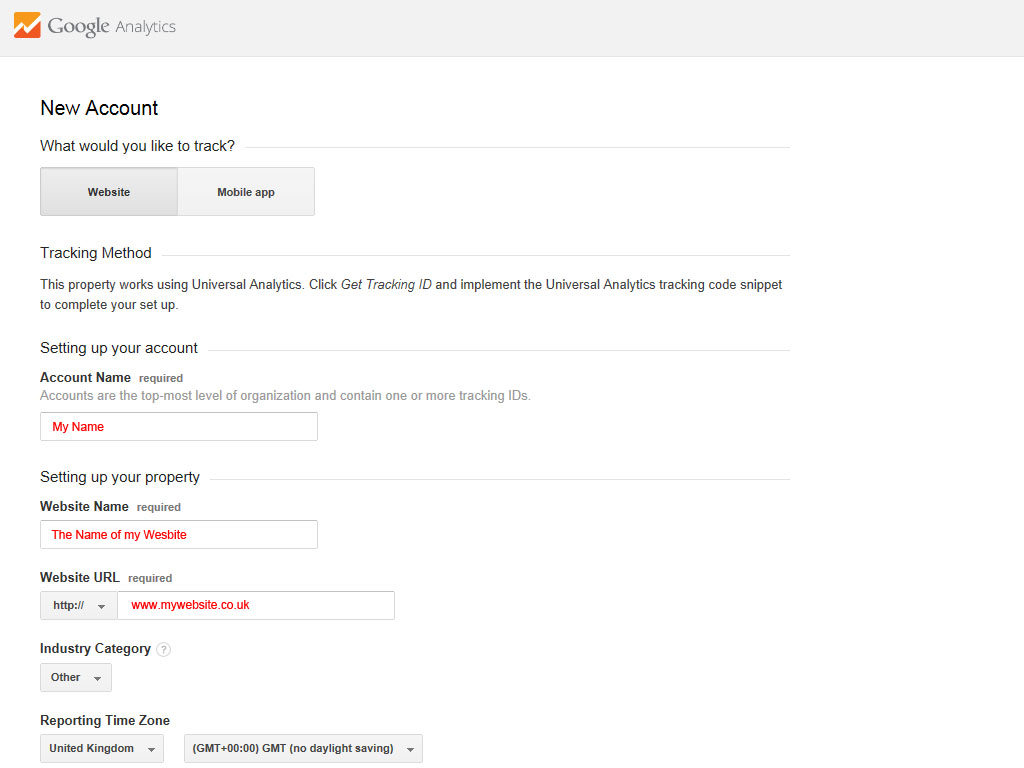
Next you need to set a profile for the website you’d like to track, it’s a step-by-step process and at the end it will generate a unique script that communicates with Google analytics. Copy this script ready to paste into the website you’d like to track.
Add the tracking code.
The tracking code now needs to be added to your website. How you do this depends on how your website is constructed.
If your site uses a content management system (CMS), such as WordPress, it’s likely that the there’s an option someplace to add the tracking code in the theme settings. Other options are to add the code manually to a file that’s used throughout the website such as a header or footer template.
Older flat html websites may need the code manually adding to all pages you’d like to track.
If in doubt talk to your web designer or developer about how your websites content is generated and they’ll be able to help.
What can i measure?
Now the code is in your website Google Analytics will started recording all kinds of information about your websites visitors.
[alert color=red]
It can take Google a few hours to start showing information about your website, so don’t worry if you don’t see any figures straight away.
[/alert]
Log back into Google Analytics and click on the Reporting tab along the top of the screen.
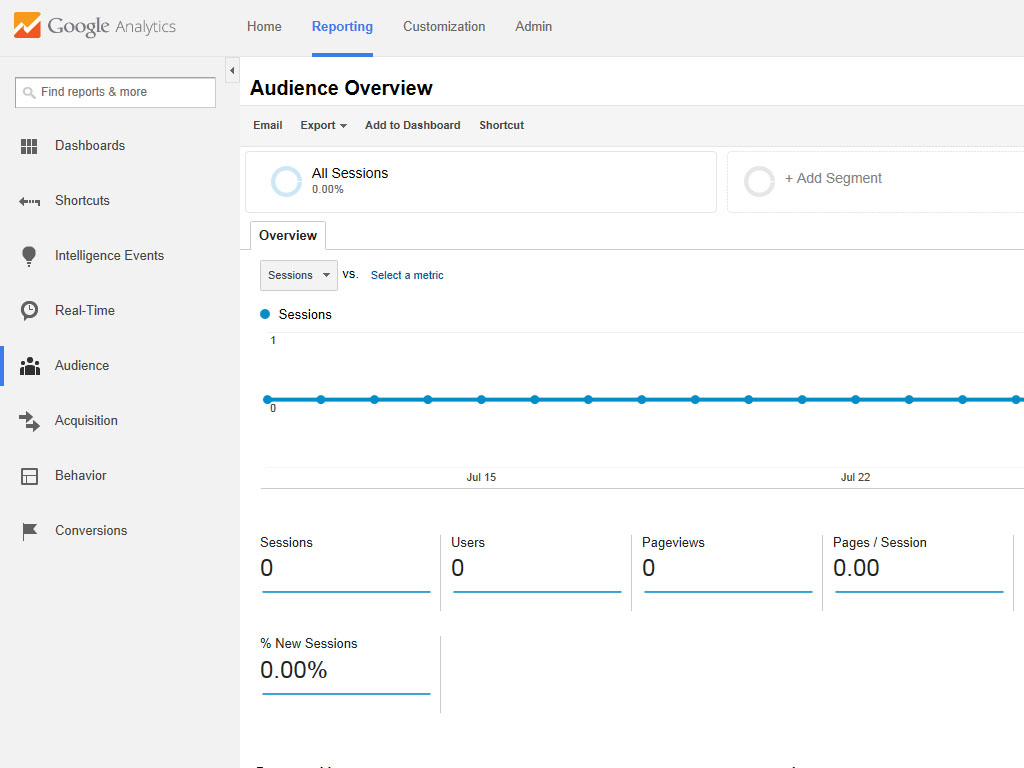
Down the left hand side of the screen you’ll see the types of information Google Analytics provides.
Real-Time.
Watch live statistics as visitors use your website.
Audience.
This deals with your visitors, how many are new visitors, how many are returning visitors, where they are from, and what devices they used to view your site.
Aquisition.
Find out how many visitors came direct to your website, how many came via a search engine, how many were referred from another website. You can also see which social channels are directing the most traffic to your website.
Behaviour.
Discover which pages people arrive at your site on (landing pages), how long they spend on each page, what pages do they go onto next and which are your most popular pages.
Conversions.
With Google Analytics you can also set up specific goals you’d like to track, an example would be to track how many users use your contact form, or how many users sign up for a newsletter. Setting up goals is beyond the scope of this article.